Save your own presets
Keep the workouts you love and start any of them in one tap, next to the built-in ones.
A big-button timer for calisthenics, HIIT and circuits. Set it up on your wrist, drop your phone on the floor, and go.
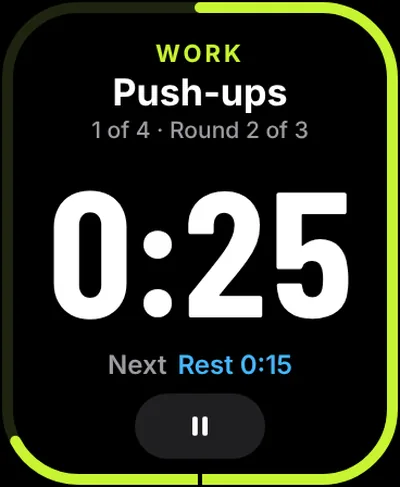
Other timer apps are paid, packed with ads, too complex or too basic. RIPTIME is the one I wanted: big buttons, your workout, and nothing in the way.
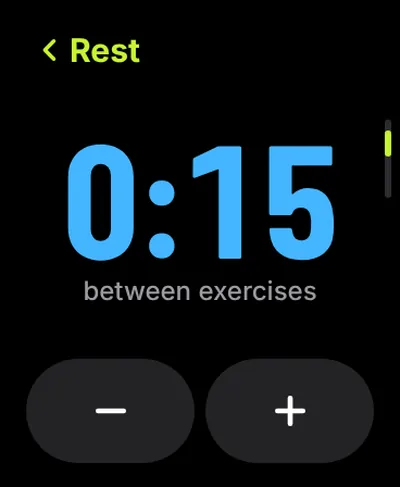
Start is the biggest thing on the screen. Every number uses the same editor: a huge value, two half-width buttons, and the Digital Crown for fast changes. No iPhone needed.
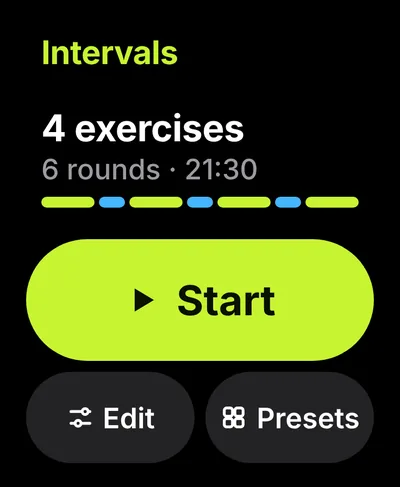
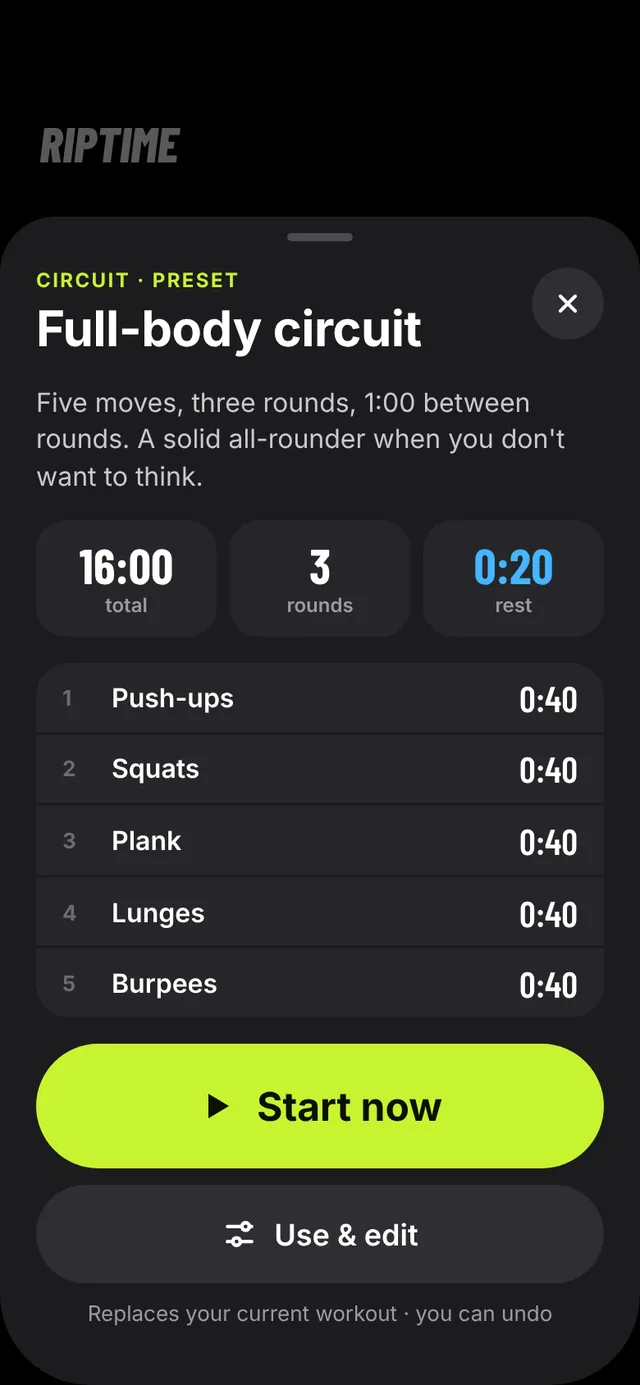
Load a classic in one tap, run it as it is, or make it yours. Your own workout stays on Home with every exercise listed.
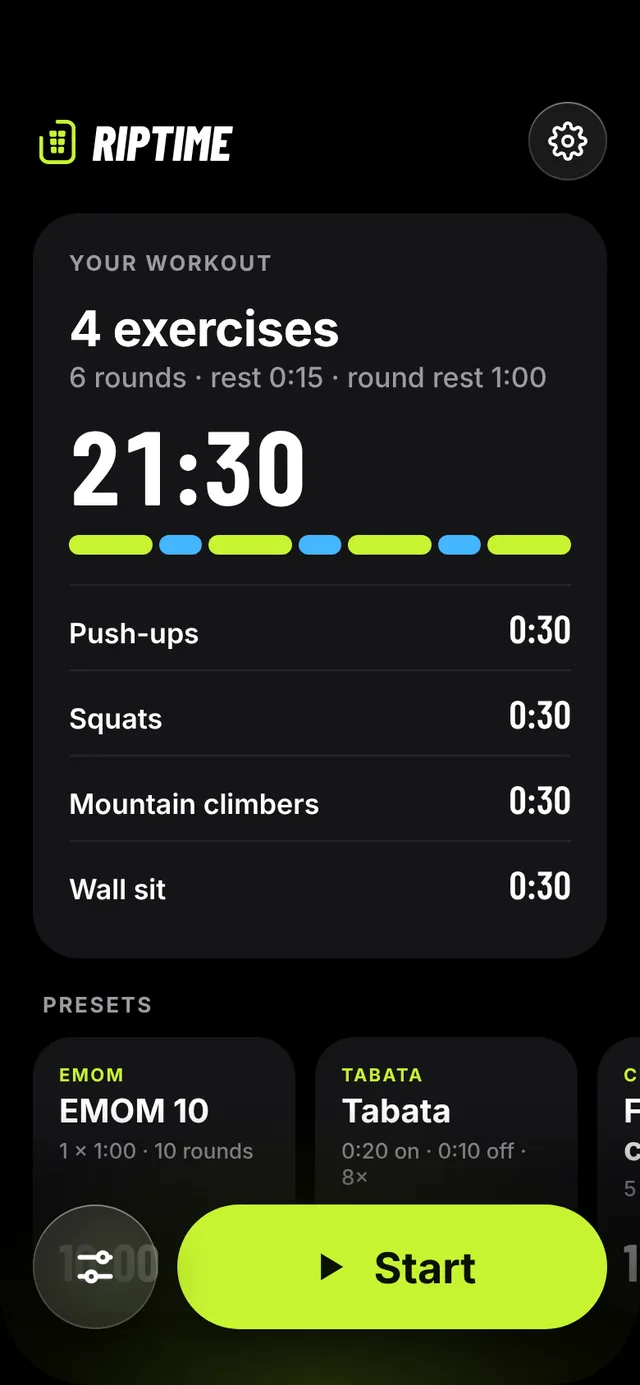
Run it on Apple Watch and feel every phase change. Or prop your iPhone on a bench two metres away: the timer is big enough to read mid-rep. Your workout and settings sync between the two.
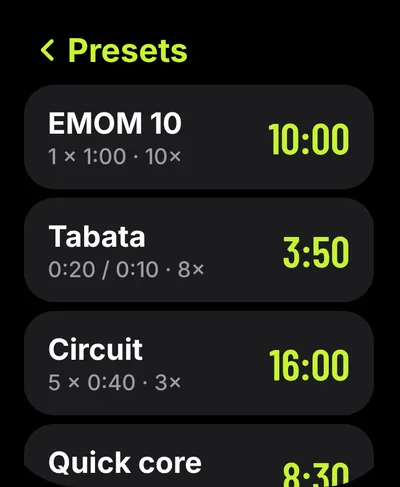
Keep the workouts you love and start any of them in one tap, next to the built-in ones.
More structured workout types, so a whole session runs from the first rep to the last.
See what you trained, when, and for how long.
RIPTIME does not collect your personal data. There is no account, no advertising, no analytics and no tracking.
RIPTIME is an interval timer for Apple Watch and iPhone, made by Cydra.xyz s.r.o. ("we"). If you have a question about this policy, write to support@riptime.pro.
Your workouts, exercise names, presets and settings are stored on your iPhone and Apple Watch. RIPTIME syncs them between your own iPhone and Apple Watch using Apple's built-in connection between the two. They are not sent to us or to anyone else.
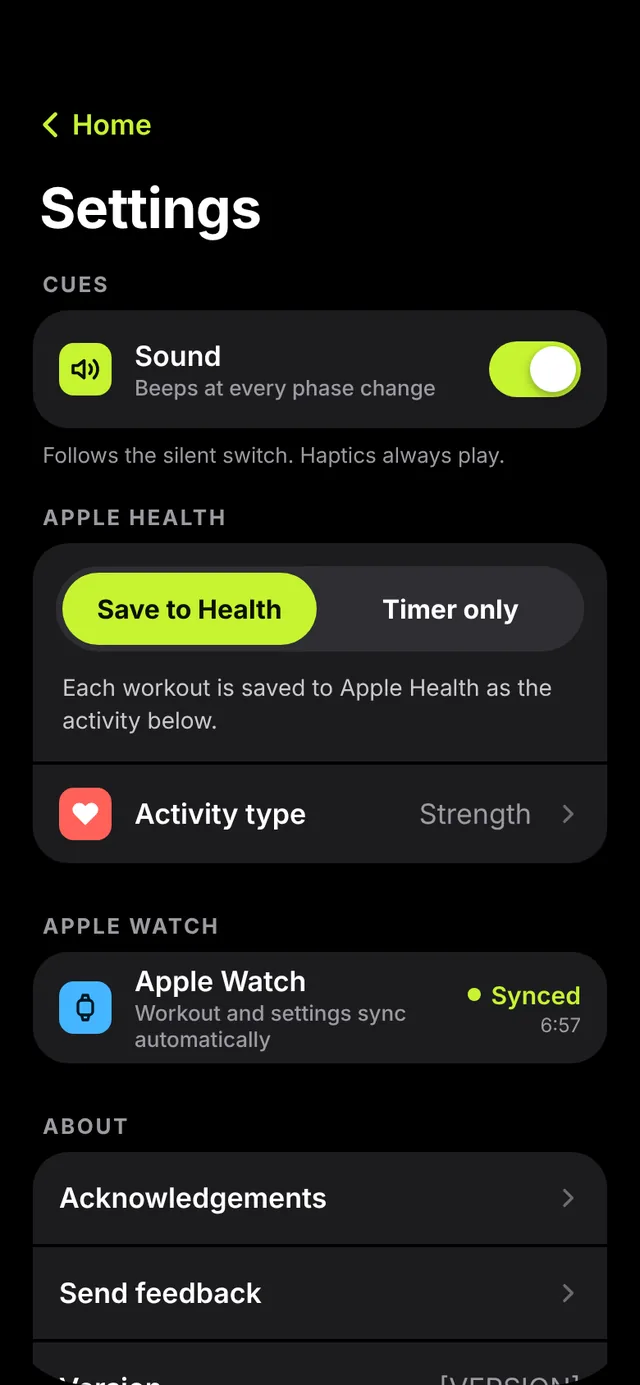
RIPTIME works with Apple Health only if you choose Save to Health in Settings and give permission when iOS asks.
None. RIPTIME has no servers, accounts, third-party analytics, advertising or tracking tools. If you email us, we use your email address and message only to reply to you, and we delete them when they're no longer needed.
Deleting RIPTIME from your iPhone and Apple Watch removes everything the app stored on them. Workouts already saved to Apple Health stay there until you delete them in the Health app.
RIPTIME doesn't collect personal data from anyone, including children.
If this policy changes, we'll update this page and the date at the top.
Cydra.xyz s.r.o.
Francouzská 939/63
602 00 Brno
Czech Republic
IČO: 19570643
support@riptime.pro
Something not working, or an idea for the next rip? Write to us and we'll get back to you.
It helps if you tell us your iPhone model, iOS and watchOS versions, and the app version (in RIPTIME's Settings, under About).
RIPTIME runs as an Apple Watch workout in both Health modes, so the timer keeps going with your wrist down. If it stops, check that RIPTIME has permission to run workouts, and restart the workout.
Keep both devices nearby with Bluetooth on and open RIPTIME on both. In RIPTIME's Settings on iPhone, the Apple Watch row shows when they last synced.
Beeps follow your iPhone's silent switch and can be turned off in Settings › Sound. Haptics on Apple Watch always play.
On iPhone, swipe the exercise left in Setup, or tap the trash button in the exercise sheet. You get 5 seconds to undo. On Apple Watch, swipe left in the Exercises list, or tap the trash next to the name in the exercise detail.
Tap a preset to see the whole workout. Start now runs it straight away; Use & edit loads it as your workout so you can change it.
In RIPTIME's Settings, choose Timer only. To remove access completely, open the Health app, tap your profile picture, then Apps under Privacy, then RIPTIME.
